Announcing Live AI Agent Monitoring for Supervisors
Revolutionizing Service Oversight with the Live AI Agents View
Autonomous AI agents are revolutionizing the service industry, transforming how businesses engage with their customers. But for many service leaders, one critical question remains: What are the AI Agents actually saying to my customers? With the new AI Agents tab in the Service Cloud Supervisor experience, supervisors gain unprecedented visibility into and control of the real-time conversations that Agentforce agents are having with customers.
Supervisors have long played a critical role in monitoring and supporting live, human-handled interactions. But as AI-driven service agents transform the industry, they now need the same level of oversight for AI-handled conversations. Until now, conversations handled by AI agents requiring assistance bypassed supervisors entirely, being routed directly to human agents. This gap in visibility and control left little room for nuanced judgment or proactive intervention. The new ability to live monitor AI agents changes the game, empowering supervisors to stay informed and engaged when it matters most.
Introducing Live AI Agent Monitoring for Supervisors
The new AI Agents Tab in Omni Supervisor experience provides supervisors with real-time visibility into ongoing conversations managed by AI agents. With this feature, supervisors can monitor conversations, identify which ones need human intervention, and seamlessly transfer them to service reps if required.

- (A) Session Overview: Supervisors can view a live list of all active enhanced messaging conversations in the AI Agents Tab. Support for more channels to come in the future – stay tuned!
- (B) Live Transcript Monitoring: With the Monitor button, supervisors can open monitoring windows, showing live transcripts of messages being exchanged between the agents and the customer.
- (C) Swift Transfers: If human intervention is needed, supervisors can click the Transfer to Rep button. This action will remove the AI agent from the conversation, thus removing the conversation from the live list view. It also triggers the outbound omni-channel flow that the admin selected during AI Agent setup, routing the conversation to the specified target.
- (D) Customizable Flagging: Admins can add the new Raise Flag for Supervisor Agent Action to their AI agent’s topics. In each topic, admins can add natural language instructions for what criteria should trigger the raised flag such as requests for refunds or frustrated language. The possibilities here are endless. We will dive into this a bit more.
Real-Life Scenarios with AI Agents Monitoring
Preparing for a Surge in Customer Inquiries
During a busy afternoon, a travel company supervisor may notice several flagged conversations related to a flight cancellation. By viewing these AI agent-managed chats in the AI Agents tab, the supervisor identifies the growing trend and realizes service reps will soon need to address similar concerns. The supervisor prepares their team with updated information about rebooking policies and compensation options. When the influx of inquiries hits, the team is ready to deliver fast, consistent answers, minimizing customer frustration during a stressful situation
Identifying and Assessing Customer Frustration
Imagine your admin configured the Raise Flag for Supervisor Agent Action to appear when a customer’s language suggests they are upset or frustrated. As a supervisor, you can now review flagged conversations and determine if the customer’s annoyance stems from the problem itself (which the AI agent is handling effectively) or dissatisfaction with the AI agent’s performance. For example, a customer may be frustrated about not having any checked baggage included in their fare. The AI agent can continue to help by processing their payment to add baggage, without human support needed. This allows supervisors to protect service reps’ precious time, escalating work only when necessary.
Retaining Customers in Competitive Situations
Thanks to the customized Raise Flag for Supervisor Agent Action instructions, a supervisor sees a flagged conversation with a customer who mentioned a competitor’s name. After looking into the live transcript, the supervisor notices the customer’s interest in switching services. Recognizing the importance of this interaction, the supervisor can immediately transfer the chat to a service rep trained in competitive retention strategies. The rep addressed the customer’s specific inquiries and offered a tailored incentive. Thanks to the supervisor’s timely intervention, the company retains a valuable client.
Providing White-Glove Service for High-Value Accounts
When messaging with an AI agent to get support with an order issue, a client may mention their premium account status. With yet another simple Agentforce action customization, a supervisor can see a flag for the conversation involving the high-value client. The supervisor can now monitor the conversation closely, ensuring the AI agent provides swift support with the issue. Ready to step in at any sign of dissatisfaction, the supervisor ensures the interaction is seamless, reaffirming the company’s commitment to top-tier service for premium clients.
Get Started with A Few Clicks (Or None!)
The AI Agents Tab is available in the Spring ‘25 release to all Service Cloud customers with AI agents. Here’s how to get started:
- Ensure that you are using an enhanced Omni-Channel. If you are not, what are you waiting for?! Learn more about its benefits here and start using Enhanced with one button click!
- Confirm that your organization has at least one active Agentforce Service Agent. To check, navigate to the Agents page in Setup and confirm you have agents of type Digital Channel. If no such agents are present, follow the steps outlined in this guide to set them up.
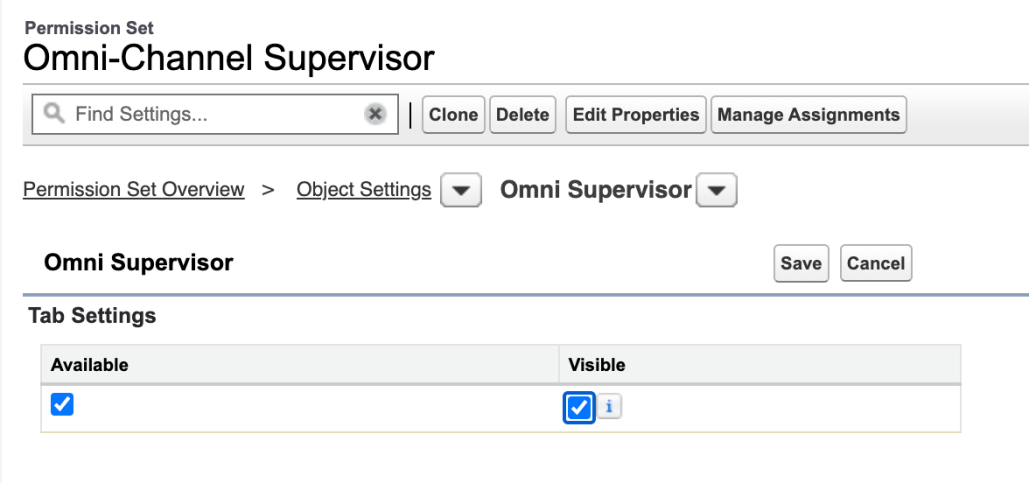
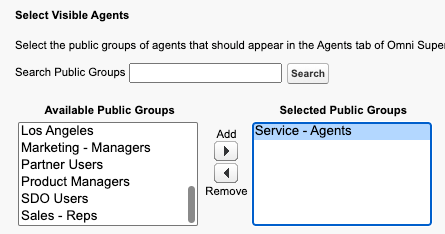
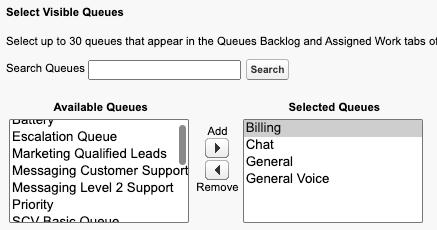
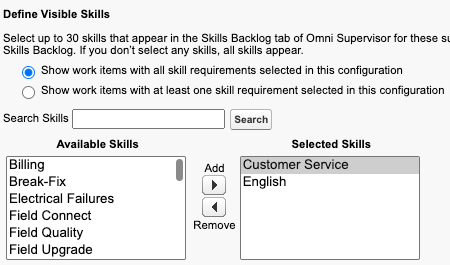
- If you’re using Supervisor Configurations, simply add the AI Agents Tab to the visible tabs in your desired Supervisor Configuration(s).
- If you choose to use the Raise Flag for Supervisor Agentforce action, add this action to your desired AI agent(s) and its topic(s), specifying trigger criteria in the topic instructions. For detailed instructions, refer to this guide.
Resources You Might Find Helpful
- Demo video
- Steps to set up a service agent
- Release notes for live AI agents monitoring
- Help docs for the AI Agents tab
- Release notes for the Raise Flag for Supervisor Agentforce action
- Help docs for the Raise Flag for Supervisor Agentforce action
Ready to Enhance Your Supervision?
We hope you are excited about the power of real-time AI Agent monitoring, achieving proactive oversight, and the option of seamless human intervention. You are now ready to start delivering unparalleled, AI-powered service experiences!As always, we would love to hear your thoughts, feedback, and ideas via comments on this post, IdeasExchange, or LinkedIn.