From Kanav Khurana: Using “Before-Save” Flows with Validation Rules
In this nice use case, Kanav shows how a Before-Save flow can inspect for problems and then update a custom field that triggers a validation error.


In this nice use case, Kanav shows how a Before-Save flow can inspect for problems and then update a custom field that triggers a validation error.
Sometimes, one person can change the world. And in this case, that one person is Brian Doogan, who wrote:

Now, some might call this harsh criticism. But here at UnofficialSF, we share the Salesforce enthusiasm for honest, true conversations and real feedback. So we took it to heart and innovated this dramatic new ‘blue’ selection technology:

Of course, doing this kind of advanced work increases the cost of maintaining UnofficialSF, so starting immediately, we’ll be charging $1/day via anonymous bitcoin for access to the site. Address any concerns on that front to Brian, whose email we have conveniently provided above.
Flow Base Components is a package that will contain components shared among other Flow components. By enabling them all to share a single set of core components, we can dramatically reduce upgrade conflicts.
In version 1.2, Flow Base Components gains:
Flow Base Components already contains:
If you’re not a developer, then you’ll encounter Flow Base Components as a prerequisite when you’re trying to install something else, looking like this:

Check out the new links on the Flow Home Page for Flow ideas on the Idea Exchange.
Check out the new Flow Action that can be used to create/convert a Datetime value in your local Timezone.
Sometimes small changes can make a big difference. I’m creating a Configuration Helper for my Datatable component and I want the Admin to be able to select a group of fields from a list of all of the fields on an Object. The Dual List Box Flow Screen Component is perfect for this because it can be combined with the Get Field Definitions component that is included in the new Actions Base Pack.
The only problem with this list is that even though all the fields are shown, they are not in any particular order. I updated the component to allow you to specify a parameter to sort the list of fields. The options include sorting by the field label or by the field value (API Name).
This component has also received a nice Summer ’20 update with the inclusion of a CPE (Custom Property Editor).
Now my selection list for the Object fields is sorted and much easier to use.
A powerful new scheduler with a very entertaining documentation and intro video. Has some similarities to Mass Action Scheduler and works with Apex as well as with Flow. Check it out!

AgentScript provides a way to add high visibility script blocks to your flow screens. Check it out!

This extension includes a flow that will generate Apex test classes for a selected target flow. A good example and use case is shown in this video:
Autolaunched Flows can be launched via a REST or Apex call. That means that you can create tests that invoke the flows, passing in specified inputs, and inspect the outputs from the Flow to see if it’s returning the expected result.
This Flow Autotest package installs a flow called Flow Test Generator. When you run it, you’re asked first if you want to Add, Edit or Delete a FlowTest. FlowTest is a Custom Object that stores the information specific to one test and its assertions:

Creating a new test involves first selecting the target flow, which must be an Autolaunched flow:

For each test, configure the desired combination of flow input values:

Then define the tests you want to run on the resulting flow output values:

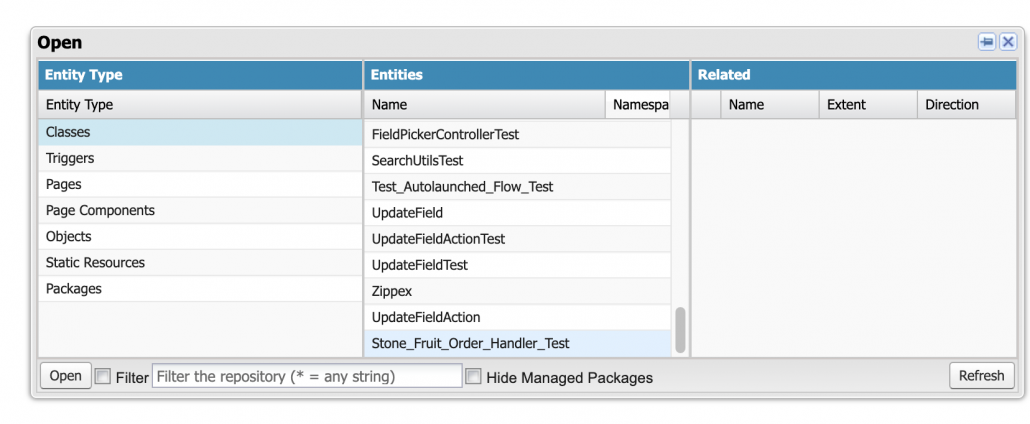
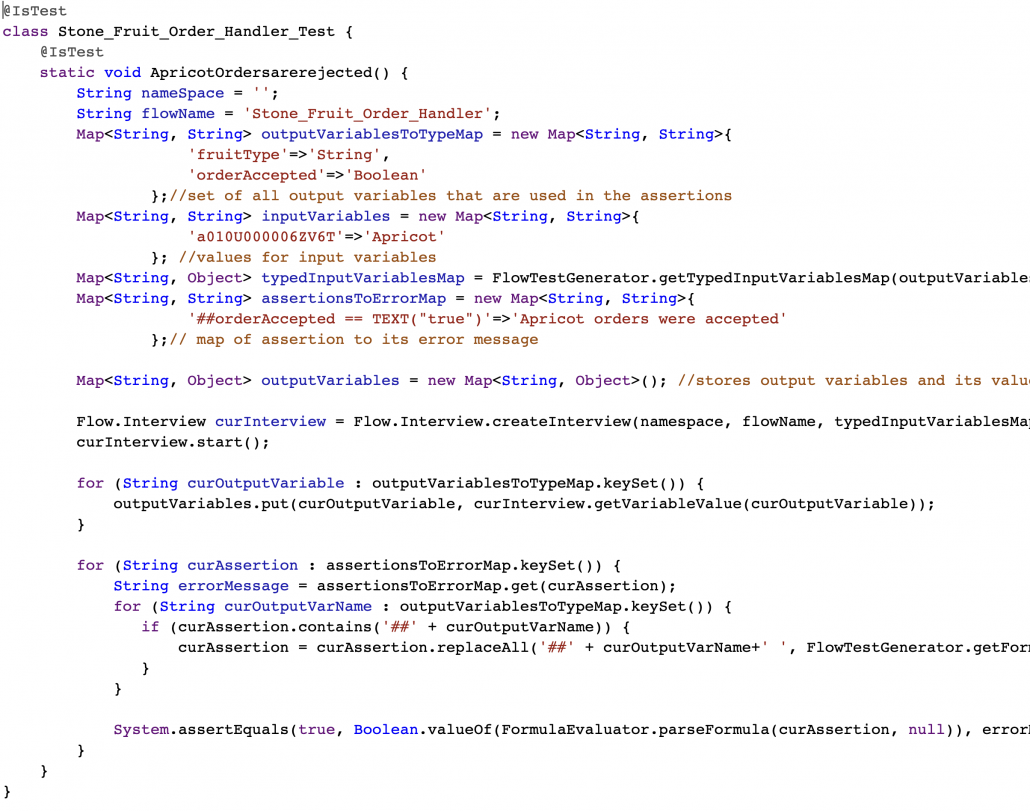
The test class will then be generated. At this time, you have to add it manually to your org using Developer Console.
2/26 V3.0 Production Sandbox – Works with V3 Action and Screen Components Base Pack versions.
Old Versions
Version 1.0.2 Unlocked 9/3/21


