Tag Archive for: Datatable

What’s new for Datatable and other UnofficialSF components

I’ve released a new version of the Datatable component (4.3.5).

In addition to the Remove Row Action, I’ve added a new Standard Row Action and improved reactivity with a new single “Actioned Row” output.  When a row is “actioned”, you can fire off other reactive screen components like Flow Launcher or Screen Actions.  This lets you now do almost anything you want when clicking on a row action.

The action can be configured as a clickable icon or a full button and can be put in the first or last column of the datatable.

Some flow elements such as Transform and Filter are still not directly referenceable in the resource picker so I’ve updated the picker and the Datatable CPE to allow manual entry of flow attributes for the record and pre-selected record collections.  For example: “{!MyFilter}”

Other Datatable changes include increasing the maximum column width from 1000px to 1500px.

I’ve addressed a few bugs as well.

  • Date field values that get adjusted by the timzoneoffset now are stored as YYYY-MM-DD.  Prior versions stored these as a datetime which caused issues with collection processors and action buttons.
  • The SelectedRowKeyValue output now gets cleared when no rows are selected.
  • When both pagination and single row selection are enabled, the prior selection will be cleared before setting the new selection.
  • Fixed search/filter errors when using special characters by escaping special characters in filter and search terms.
  • The correct url for record hyperlinks will be generated when running in a playground org.
  • Edited ApexDefined rows will be output as soon as changes are saved.  (Issue #1565)  
  • If multiple preselected rows are provided and single row selection is enabled, only the first record in the collection will be marked as preselected.

It’s been a busy winter for updates on Unofficialsf.com.

I released an Auto-Navigate component for flow screens and added some new reactive collection processors.  By adding reactive conditional visibility to the Auto-Navigate component you gain full control over navigating between flow screens without the user needing to click a Next or Previous button.  The UpsertRecordByKey action lets one upsert a record into a record collection by matching the value of a key field.  

For certain types of reactive screens, some components are designed to react to the outputs of other components on the same screen. However, the first time a screen loads, these components may not have a value available. The Reactive Record and Reactive Record Collection components are designed to “seed” a component with a starting value before it can react to a change in another component. Think of these like the flow formula function BLANKVALUE where you can assign an optional value to use if the primary value is null or blank.

Updates to the Flow Screen Components Base pack include an updated combobox which means that Action Button and Screen Action outputs can now be directly referenced by other custom components from unofficialsf.com.  CPE developers can take advantage of a new feature that lets users manually reference flow attributes that can’t be selected natively by the component.  QuickChoice was updated to support default values for dependent picklists on initial screen load.  A Master Label and a Required attribute were added to the Object and Field picker.  The Rich Text Input screen component is now reactive.

The Flow Actions Base Pack and the Collection Actions were updated to have all entries be at API 45.0 or later which avoids any issues enabling the ICU Locale Formats which is being enforced in Spring ‘25.

New or updated Flow Actions include GetCaseThreadToken, GetPicklistValues and Base64ToFileConverter

Be sure to Subscribe to updates by clicking on any Blog post on this page and entering your email address and clicking Subscribe.

Check out the latest Datatable improvements!

Welcome to the next major release of Datatable.  There are a couple of amazing new features along with a few minor bug fixes.

There is now a new Remove Row Action available that allows the removal of individual rows from the Datatable. This can be useful in scenarios such as using the Datatable to display a list of items in a shopping cart and needing to provide users with the ability to remove items from the list.

In addition to setting a maximum number of records, you can specify the icon and color to be used for the action and put the action column on the left or the right of the Datatable.

New outputs are the collection of removed records, the collection of remaining records and the number of records removed.   This functionality works for both Salesforce objects and Apex Defined records.

Remove Row Action – Removed Rows & Remaining Rows are Reactive Outputs

You can even use this action to “select” records and specify a limit on the number of records that can be acted on.  This allows you to remove records from the Datatable once they have been selected.

Remove Row Action – Used for Selections with a Limit on the Number of Row Actions

As a time-saving bonus, even if you are not including a remove row action, the new Remaining Rows output collection will contain all the Datatable records including all Edits that were made to the records.  You no longer must add extra steps to your flow to combine the edited records with the original records. (How to use both the Selected and the Edited records in a Datatable)

Remaining Rows attribute can be used to output All Records with Edits

• There is a new option to display the number of Selected Records in the table header.  Even better, with this release, selected records are now PERSISTENT once selected.  Performing table actions such as Pagination, Sorting, Searching, Filtering and Removing Rows will always persist all previously selected records.

Selected Record Persistence with Pagination, Sort, Search, Filter, and Remove Row

• To help with debugging flows where you have multiple Datatables on the same screen, the Console Log outputs will identify the Datatable Header value for each console log statement.  To help protect sensitive information, record and field values will no longer show in the console log or debug log outputs.  You can still choose to override this behavior in your sandboxes with a couple simple attribute changes in the source code.

Override behavior showing record data
Default behavior with data hidden

Find the new package install links here.

New features have just been added to the Datatable component

For the latest on the Datatable component, please go here: Datatable – Lightning Web Component for Flow Screens

DatatableV2 Flow Screen Component

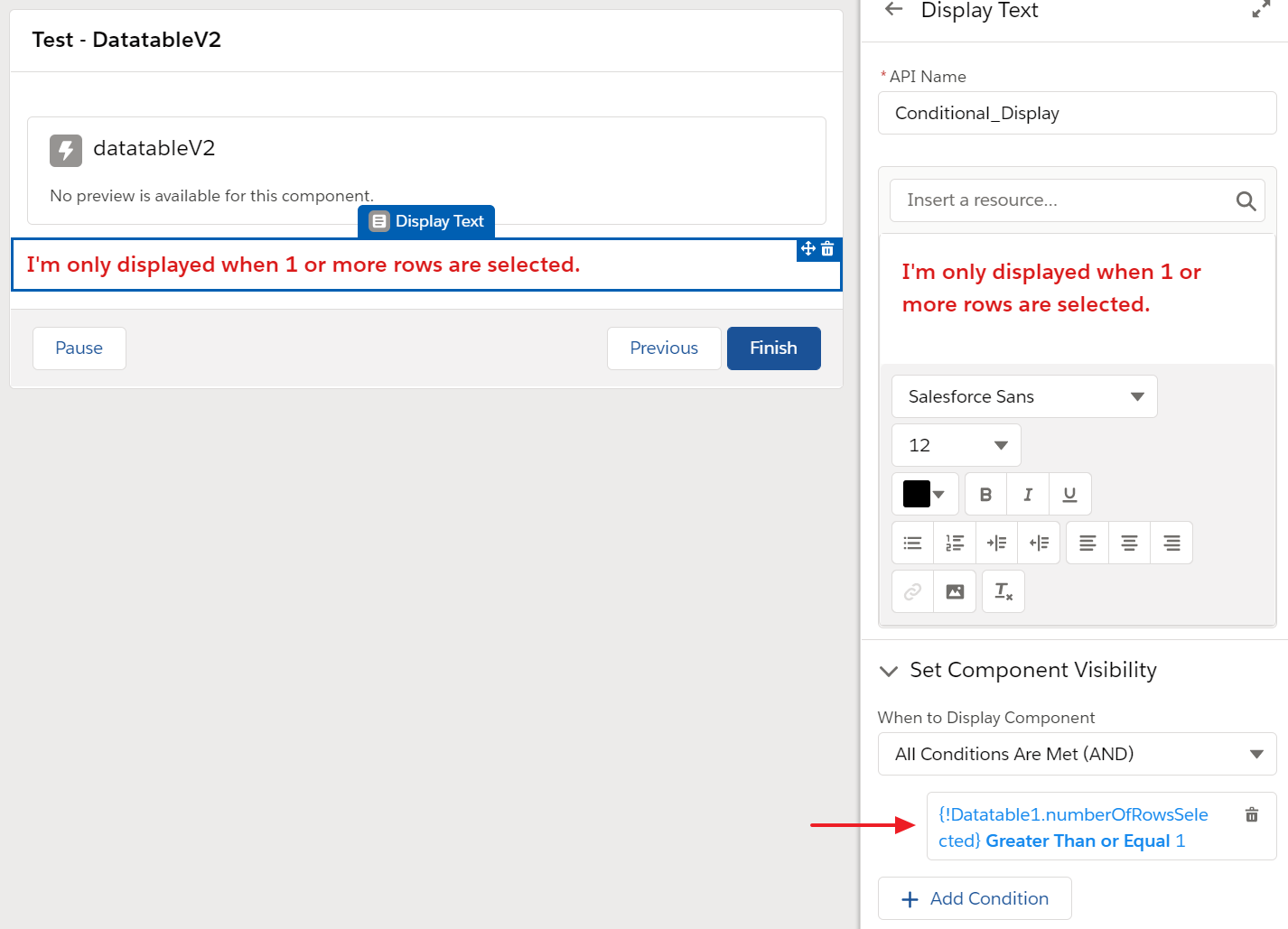
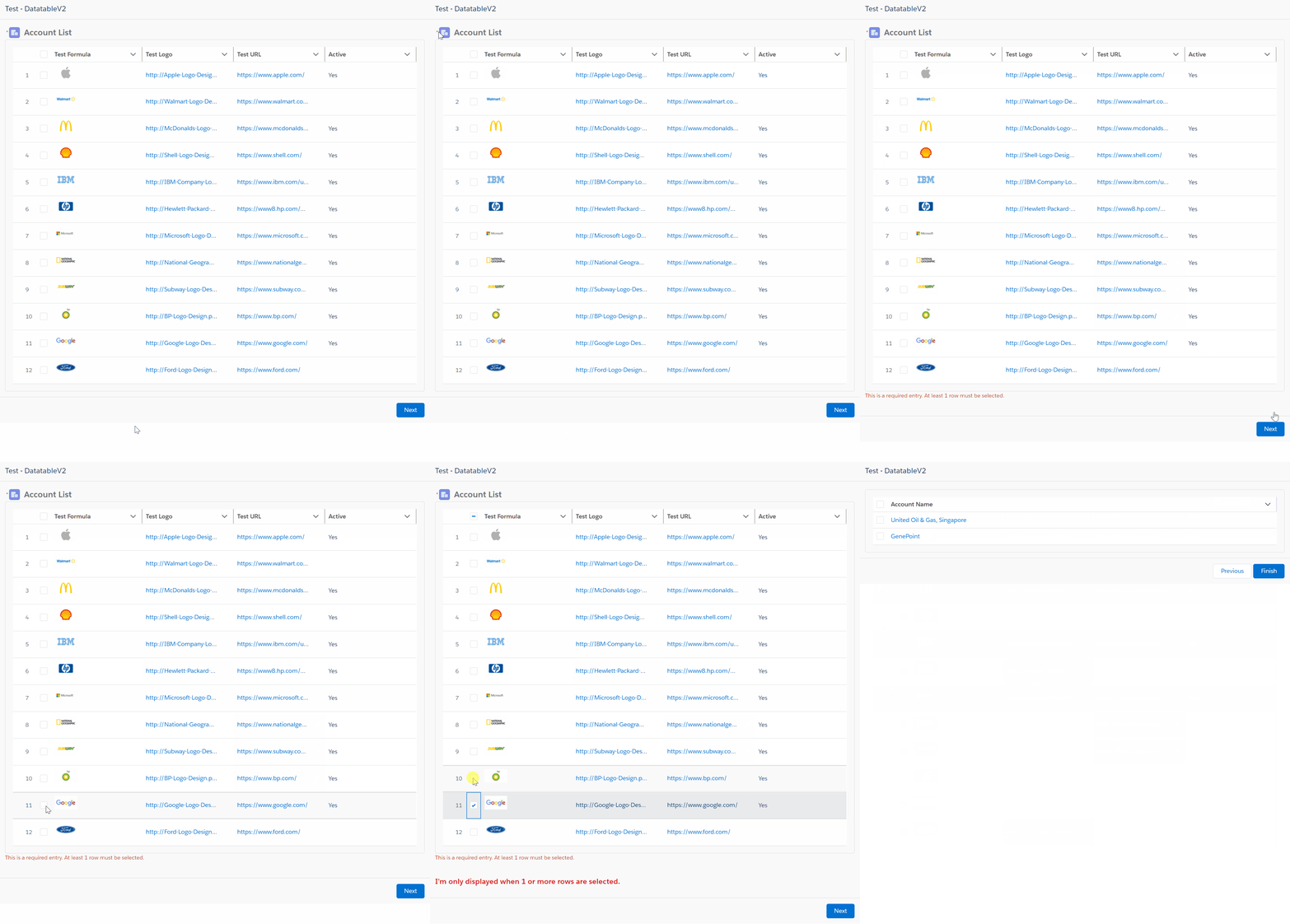
There is now a new Output Parameter that passes back the number of Selected Records.  This helps with being able to easily check later in your Flow to see if any records were selected.  This feature can also be used to set Component Visibility for components on the same Screen as the Datatable.

Another new Parameter lets you set the Datatable as Required.  This will keep the User from advancing past the Screen if no records are selected.

When just a single record is selected in the Datatable, a new SObject Output Parameter will be populated with the single selected record in addition to the standard SObject Collection Output Parameter.

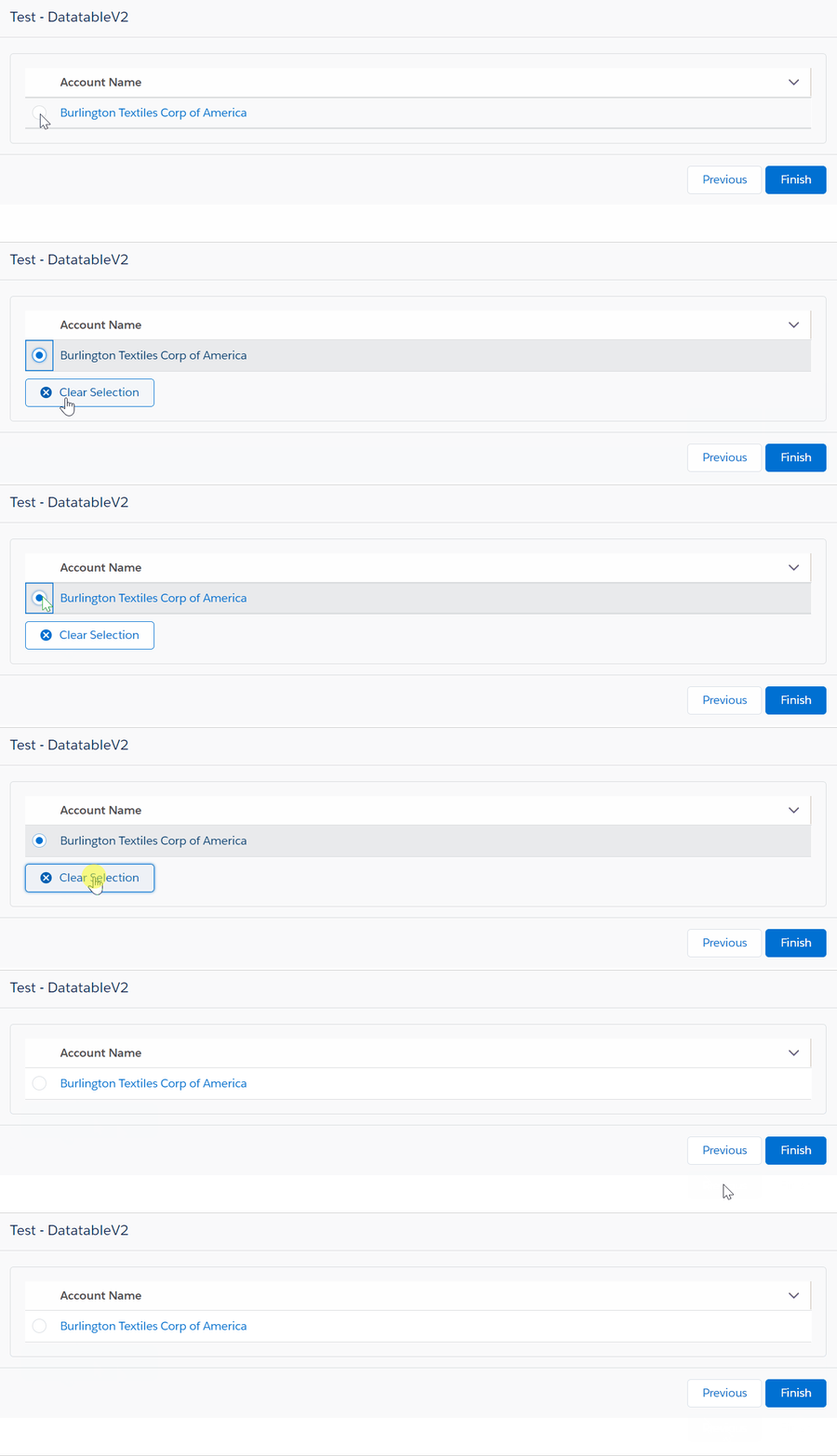
Another new feature for Datatables displaying just a single record is the appearance of a Clear Selection button.  This button will be made available once the single record has been selected using the standard Radio Button.

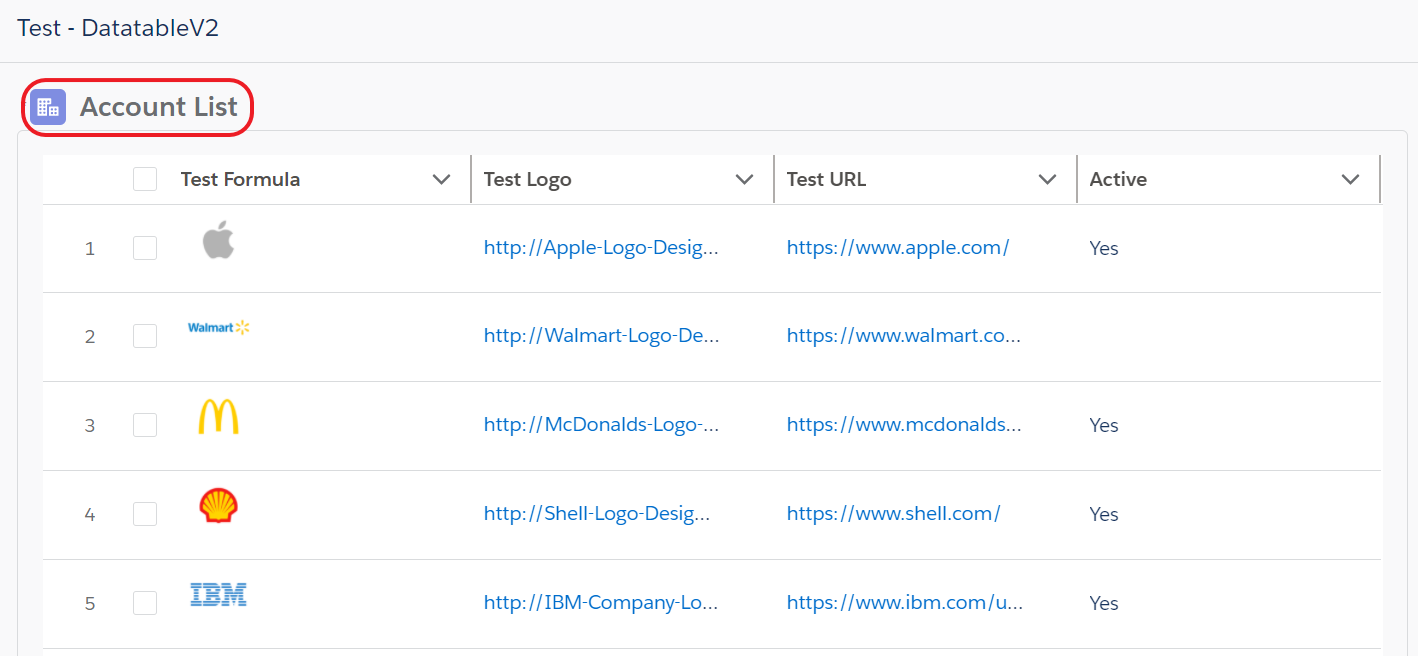
You can now add a Header Icon and Header Label to the entire Datatable.

Additional Enhancements and Bug Fixes include:

  • Spinners will be displayed when sorting & filtering data
  • Picklist and Multi-Picklist Labels will be displayed instead of the API Names
  • The link to the record for the object’s standard Name field can be suppressed
  • The Configuration Helper now uses the Flow Base Components version of the DualListBox component
  • Column Field Names attributes are now recognized with case insensitivity and even if missing the __c suffix