

Create Custom Metadata Records from Flow & a CSV File
From Salesforce MVP Narender Singh comes a nifty screen component that lets you create Custom Metadata Records from a CSV file from an embedded screen component:
This is especially neat because it’s currently pretty difficult to mass create custom metadata records as you cannot use Apex or Dataloader. Thanks Narender!
For you admins out there that aren’t using Custom Metadata – you should start thinking about all the ways it can help you scale things like validation rules, formulas, and business logic in your automations and validations. It’s the #1 way to avoid hard coding logic across Salesforce.
From Christopher Hickman, Advanced CPQ Productivity using Flow
Christopher has created two very detailed posts that show how Flow can help facilitate some advanced tools for Salesforce CPQ implementations.
This article focuses on using Lookup Queries to calculate prices:

…and this one involves using Flow to prefill fields in a guided selling process:
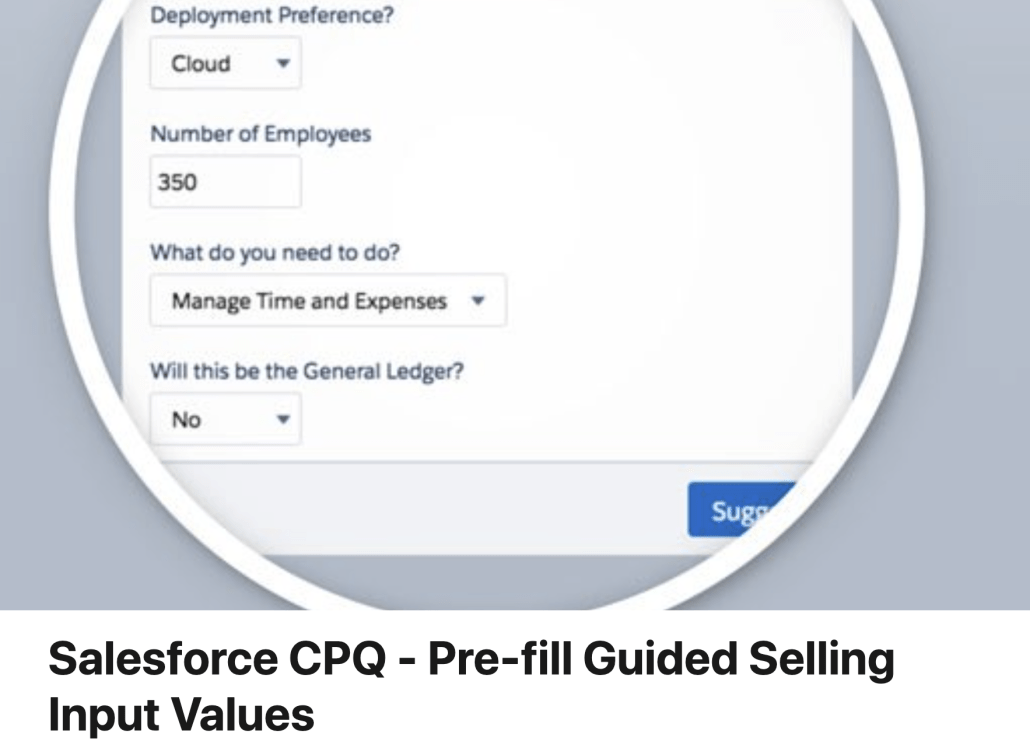
I’ve long wanted to see someone apply Flow to the challenging world of price determination. This is great to see. Check it out!
From Sheshant Kashyap, a New Way to Do SOQL ‘IN’ Queries in Flow
Sheshant blogs via Salesforce Binge, and has posted an installable action that lets you build up IN queries using Assignment elements:

It’s a nice addition to SOQL support extensions, which currently include:
- A Graphical SOQL Query Builder for Flow, plus an Execute SOQL Action
- Execute SOQL V1.2: Handles Flow Dates Properly and works with Flow Schedule and Record Change Triggers
- From ForcePanda: The first Invocable Action that can perform SOQL on any kind of input
- https://unofficialsf.com/easy-in-filters-in-flow-with-the-filter-query-flow-action/
- ..and the venerable Salesforce Lightning Flow — Using Advanced SOQL, which still somehow draws 50 page views a week from the old Medium blog that preceded UnofficialSF.com
Developer Note: Note the way that Sheshant leverages Apex-Defined Types to create a compact, targeted data structure that can be used in Assignment elements. I’ll state that I think that Apex-Defined Types are the biggest source of untapped opportunity to extend Flow!
From Melody: New Flow Tutorial Posts on a New Flow Blog
We always love seeing a new Flow-focused blog. Here’s one from Melody. Noteworthy: she offers to build flows to order to solve your problem!
To see our list of this and other Flow Blogs, go here.
New Einstein Automate Playbook Available from Salesforce Marketing
Our marketing colleagues have put together a polished 20-page PDF ‘Playbook’ that talks about Flow and the larger Einstein Automate family of Salesforce solutions.

This content is primarily aimed at business decision makers and you may not find it as directly applicable as some of the other content at UnofficialSF but it does a great job of showing how we’re trying to weave the different pieces of Salesforce automation into a unified story.
Easily Indent Screen Fields
As of Spring ’21, you can combine Conditional Field Visibility with Multicolumn Screens to indent a block of child fields. You’ll see how applying Coditional Field Visibility to a Section allows an entire block of components to easily be turned on or off.

Extending Flow Overview Video
Hi everyone! I recently worked on a video to help give an overview on when and why you might use Flow extensions. I also cover some good sample scenarios using various actions and also cover some lessons learned.
Check out the summary (with helpful clickable timestamps) below!
Here’s the video:
Slides (with the hyperlinks to the actions / other URLs) are here: https://docs.google.com/presentation/…
- Intro – https://youtu.be/hIFPtwHs2TE?t=0
- When and why you’d use custom actions and components – https://youtu.be/hIFPtwHs2TE?t=34
- The rise of the ‘Developer Multiplier’ – https://youtu.be/hIFPtwHs2TE?t=258
- Scenario 1 – https://youtu.be/hIFPtwHs2TE
- We need a slick choice of buttons that then shows a list of filtered records for the user to choose from and do something with those records
- Actions / Components: QuickChoice, Datatable, SOQL Datatable
- Scenario 2 – https://youtu.be/hIFPtwHs2TE
- You need to update over 5,000+ records in a screen flow – the value is a multi-select picklist
- Actions / Components: GetPicklistValues, DualListBox, MapCollection, MassTransactor
- Scenario 3 – https://youtu.be/hIFPtwHs2TE
- You need to easily create a bunch of junction records from a record page and check for dupes
- Actions / Components: FindCommonAndUncommonRecords (made by me!), GenerateCollectionReport
- Gotchas & Due Diligence – https://youtu.be/hIFPtwHs2TE
- Talking with your stakeholders/clients/customers about low code options – https://youtu.be/hIFPtwHs2TE
- Where to find components and get help – https://youtu.be/hIFPtwHs2TE
sendBetterEmail: Release 2.1.0
The new version of this email action for Flow replaces previous versions, Send Rich Email, and Send HTML. It has two functional additions and several bug fixes.
- Treat Target Object As Recipient – Optional. If set to true, the targetObjectId (a contact, lead, or user) is the recipient of the email. If set to false, the targetObjectId is supplied as the WhoId field for template rendering but isn’t a recipient of the email. The default is true.
- In Reply To – Sets the optional In-Reply-To field of the outgoing email. This field identifies the email or emails to which this email is a reply (parent emails).
This release depends on the both flow basepacks – minimum version of FlowActionsBasePack Version 2.12 Managed and FlowScreenComponentsBasePack Version 2.1.6 Unlocked which must be installed/upgraded prior.
Mergician – Make Unnecessary Formula Fields Disappear!
Here’s a great new Flow Action from the team at Gears Design. Use the Mergician app with Salesforce Flow to quickly and easily create custom copy for chatter posts, custom notifications & emails – or any other scenario where you need to leverage Salesforce’s merge field syntax in Flow.

Ever tried to use default Flow functionality to create a notification using fields from your primary object and from related objects? Mergician eliminates the need for a doctorate in formula syntax when building your Flow!
Ever created formula fields on an object JUST to pull in details from a related record for notifications? With Salesforce Flow and Mergician, you can make these unnecessary formula fields disappear!
The Mergician application was designed to assist in ANY use case for leveraging custom chatter posts, notifications & emails in Salesforce Flow. With OOB Flow functionality, there is NO simple way to create a notification that includes data from the primary object and any related objects.

The app comes with an invocable method that can be leveraged within your Flow for exactly this purpose. There are two options available:
Notification by String
Flow action element that allows you to dynamically pass in your text via a string in your flow action.
Notification by Template
Flow action element which leverages an easily configurable Template object to build your notification copy. You can also use Template Translations to support multiple languages.
Available for FREE on the Salesforce AppExchange.
